How To Collect Basketball Match Photos for Your Club
A guide for small basketball clubs, parent volunteers, and the one exhausted person who keeps getting asked for the photos.
Basketball match photos have a way of creating work for the same person every weekend. The club posts six nice shots to Instagram. Parents ask for the originals. The coach wants a few for the website. Somebody else took photos from the stands and says they can send them "later." Later is a scam.
If you run a small club, this is how basketball club photos turn into admin. Not because nobody cares, but because there is no one obvious place to put them.
Sunday Evening in the Sports Hall
The U12 game started at nine. U14 played after lunch. The senior team tipped off in the evening. Somewhere in the middle, one volunteer tried to do everything: take photos, post Stories, answer parents, and remember which files were on the camera card versus which ones were already sent to the coach.
By the time the hall is empty, the club has plenty of photos. It just does not have a system.
Some are on a phone. Some are in Instagram DMs. Some are still on an SD card. One parent sends three good ones through WhatsApp, which is generous and also slightly tragic. Another says they uploaded everything to Google Drive, but only half the people can open it.
This is the same scattered-photo mess behind stop chasing photos, just with sneakers, scoreboards, and a parent group chat that never really sleeps.
A small club does not need a more complicated photo workflow. It needs one place people can actually use.
Instagram Is Not Your Club Archive
Most clubs already have a version of photo sharing. It just is not a good one.
Instagram is great for posting highlights. It is terrible as a working archive. Parents cannot pull full-quality files from a Story. The club cannot build a season recap from random social posts. Sponsors do not want screenshots.
Google Drive is better, until somebody forgets permissions, uploads into the wrong folder, or asks grandparents to install another app they will never open again.
WhatsApp is fast, but it crushes quality and turns every match into another thread full of "Can you resend that one?" messages.
If you want photo sharing for sports clubs to stop eating time, the club needs one simple rule: every match-day photo goes to the same place first.
What a Better Match-Day Flow Looks Like?
This is where Partoska makes sense for a basketball club.
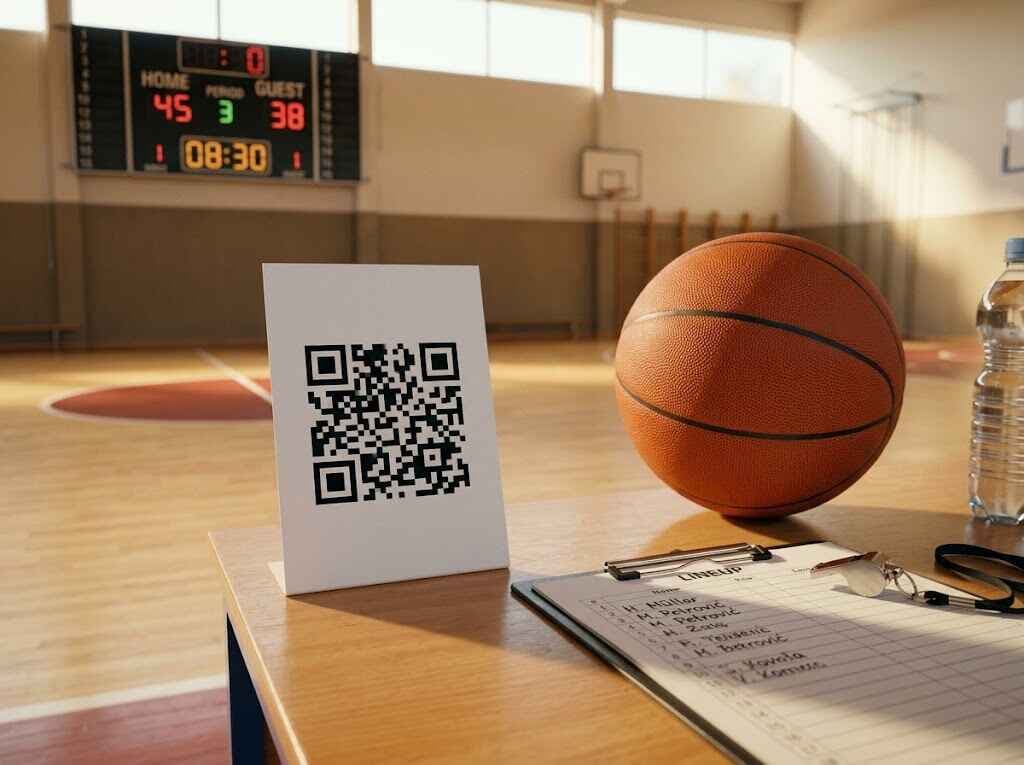
Create one gallery for the match, the tournament day, or the whole weekend. Put the QR code somewhere obvious in the hall. The volunteer who took the main camera photos can upload there. Parents can add their best shots from the stands. The coach and club admin know exactly where to look afterward.
No app. No account. No explaining which folder is the right one this week. Just one QR code photo gallery that opens in the browser on any phone.
That matters more than people think. Basketball clubs are full of mixed devices, mixed ages, and mixed levels of patience. The easier the upload flow, the more likely it is that photos actually get shared while the game still feels recent.
How It Works on a Basketball Match Day?
Before tip-off
- Create the event in Partoska.
- Print the QR code on one A4 sheet or add it to the club's match-day poster.
- Put it at the scorer's table, entrance, or snack counter.
If you already know the weekend schedule, you can create one gallery per home game or one gallery for the whole tournament day. Both approaches work. The important part is consistency.
During the game
- The club volunteer uploads their best photos when they have a minute.
- Parents in the stands can scan and add their own shots.
- If someone asks, "Where should I send these?", the answer is finally one sentence long.
For youth games, a quick reminder at halftime helps: "If you take photos today, scan the QR at the table and drop them there."
After the final whistle
- Open one gallery instead of five chat threads.
- Download a ZIP for the website, Instagram recap, or sponsor post.
- Share the gallery link with parents who want to browse and save their own favorites.
That is the whole win. Less chasing, less re-uploading, less guesswork.
Good Spots for the QR Code in a Sports Hall
People upload more when the code is where they naturally pause.
Scorer's table
Everyone looks there at some point. It is one of the best spots in the building.
Entrance door
Parents notice it while walking in, before the game chaos starts.
Snack bar or cafe corner
Waiting time is useful. People look around, notice the code, and scan.
Team bench area
Good for assistant coaches, volunteers, and the parents closest to the action.
Tournament noticeboard
If the club is hosting multiple games, this is the cleanest central point.
The club does not need ten signs. It just needs the code to be visible enough that nobody has to hunt for it.
Private, Moderated, and Club-Controlled
This matters even more when the photos involve kids.
Partoska lets the club stay in control. You can keep the gallery private, moderate uploads, remove anything that does not belong, and decide how the final collection gets shared. That is a much better fit than treating Instagram or a public folder as the club's default photo system.
If the club only wants trusted volunteers uploading, that works too. If you want parents to contribute candid bench and celebration shots, the same flow handles that. Partoska does not force one style. It gives the club one clean place to run it.
The same goes for downloads. The organizer gets one controlled export instead of begging for full-resolution files across three apps. More details live on the features page.
Let Supporters Pick Photo of the Game
It does not have to be a coach-only decision. In Partoska, guests can mark favorite photos, which gives the club a simple way to see which shots landed best with parents and supporters.
That makes "photo of the game", "photo of the tournament", or even "moment of the season" easy to run without extra admin. More importantly, it gives people a reason to come back to the gallery after they upload instead of opening it once and forgetting about it.
After the Match, Archiving Can Stay Simple
Partoska is not meant to be your forever archive. It is meant to be the clean collection layer. Once the club has everything in one place, moving it into longer-term storage is straightforward.
The practical version is simple: collect match-day photos in Partoska, then export the collection with one click to a connected Google Drive or Microsoft OneDrive account. You can also download a ZIP, use the CLI for local sync, or use the NAS integration for the season archive, yearbook folder, or club media library.
This Gets More Valuable When the Club Runs More Than One Team
A lot of small clubs are not dealing with one event. They are dealing with a repeating Saturday machine.
U11 in the morning. U13 at noon. Men in the evening. Add one tournament weekend and the person handling media suddenly spends more time creating folders than picking the best photos.
That is why this is not just a "share a few nice pictures" problem. It is an operations problem. Once the club has one repeatable workflow, every team benefits:
- parents know where to upload,
- coaches know where to find photos,
- whoever runs socials has a proper source file,
- the club can build season recaps without detective work.
That is the real value of team photo sharing when it is done properly. It saves time every single week.
If Your Club Has One Technical Person, Automate the Boring Part
Most clubs can ignore this section and happily use the web app. That is fine.
But some clubs always have one person who is comfortable with a terminal, scripts, or an AI assistant. If that person exists, Partoska can do more than collect uploads. It can remove repeat setup work.
For example:
- create galleries for the next four home games in one batch,
- generate all QR files before the weekend,
- export finished galleries with one click to a connected Google Drive or Microsoft OneDrive account after each round,
- sync finished galleries to a local folder with the CLI or use the NAS integration for a longer-term archive,
- hand the repetitive part to an AI assistant connected through MCP instead of clicking through the same form every Friday.
That is where the terminal and AI agent guide becomes useful. It is not the main pitch for a small basketball club. It is the optional upgrade for the club admin who is tired of repeating the same setup all season.
If your club runs recurring fixtures, tournaments, or several age groups, that upgrade is not nerd vanity. It is time back. Favorite-marked shots can also serve as a quick shortlist for highlights, sponsor posts, or the season recap.
What About Price?
There is a free starter tier, which is enough to test the workflow on a smaller event or one match day. Real club use usually means more photos than that, so if parents and volunteers actually use the gallery, expect to look at a paid plan. That is a good problem to have.
You are paying to avoid the weekly mess of DMs, broken Drive permissions, compressed chat uploads, and the eternal "Can you send me that layup photo?" loop. Current options are on the pricing page.
If you run a youth club, contact us here or message us on social. We can offer a significant discount for youth clubs that want to use Partoska regularly.
Small Clubs Do Not Need Fancy. They Need One Place!
That is the point.
Not a bigger social media stack. Not another folder system nobody remembers. Not a heroic volunteer who manually answers every parent on Sunday night.
One gallery. One QR code. One obvious place for youth basketball photos.
If your club has a game this weekend, you can set it up in a couple of minutes and stop improvising the photo workflow again.
Also dealing with match-day photo chaos in another sport? The football version lives here: football match photos. More practical workflows are on the blog.
FAQ
Do parents need to install an app to upload basketball match photos?
No. They scan the QR code and upload in the browser. That is a big reason the flow works better than most club-made workarounds.
Can we use Partoska if only one club volunteer takes the photos?
Yes. It still works as one clean place to upload, organize, and share the files. Parent uploads are optional, not required.
Should we make one gallery per game or one for the whole tournament?
Either is fine. One gallery per game keeps things tidy. One gallery for a full tournament day is simpler when the event runs nonstop. Pick the format your club will actually keep using.
Can the club review photos before everybody else sees them?
Yes. You can moderate uploads and keep control over what stays in the gallery.
What if we already post match photos on Instagram?
Keep doing that. Instagram is for highlights. Partoska is for collecting and keeping the full set in one usable place.
Do you offer a discount for youth clubs?
Yes. If you run a youth club, contact Partoska through the contact page or reach out on social media. We can offer a significant discount for regular club use.
Can Partoska help with recurring home games all season?
Yes. The simple version is repeating the same web workflow each week. The advanced workflow from the terminal and AI agent guide uses the CLI for local full-quality downloads and either the CLI or an MCP-connected AI assistant for gallery setup. For cloud archiving, connect Google Drive or Microsoft OneDrive once, then export each finished collection there with one click from the app.