A guide for organizers and guests who don't want to miss out on gala memories.
Sunday Morning After the Gala...
It's Sunday. Your head is still buzzing from last night's music, your bow tie is lying on the nightstand, and in your phone... three photos. Two blurry ones and a selfie at the entrance.
You know Linda from the organizing committee was snapping pics all evening. The chairman brought his fancy camera. And someone definitely captured that moment when the shy treasurer finally went all out on the dance floor.
But where are all those gala photos?
"Send It to Me on WhatsApp"
Everyone knows this phrase. And everyone knows how it usually ends.
Monday: "Yeah, I'll send them tonight."
Wednesday: "Sorry, didn't get to it, tomorrow for sure."
A month later: "Hey, I don't remember which ones I already sent you..."
Six months later: "Wait, the photos from the gala? I deleted them when my phone ran out of storage."
Meanwhile, the photos have scattered across five WhatsApp groups, three Messenger conversations, one Google Drive folder nobody knows the password to, and an email with the subject "gala photos" with no other context.
And the quality? After being forwarded three times through chat, even the best photo looks like a screenshot from an old Nokia.
What's Actually the Problem?
The problem isn't people. The problem is that there's no single obvious place where all the photos would naturally end up.
- Everyone shoots on their own phone.
- Everyone uses a different app to share.
- Nobody wants to be "that annoying person" chasing everyone down.
- And the organizer has completely different concerns after the gala than collecting photos.
The result? Hundreds of photos exist, but nobody has access to them. They're scattered everywhere—like confetti on the dance floor.
What If Photos Were Uploaded During the Gala?
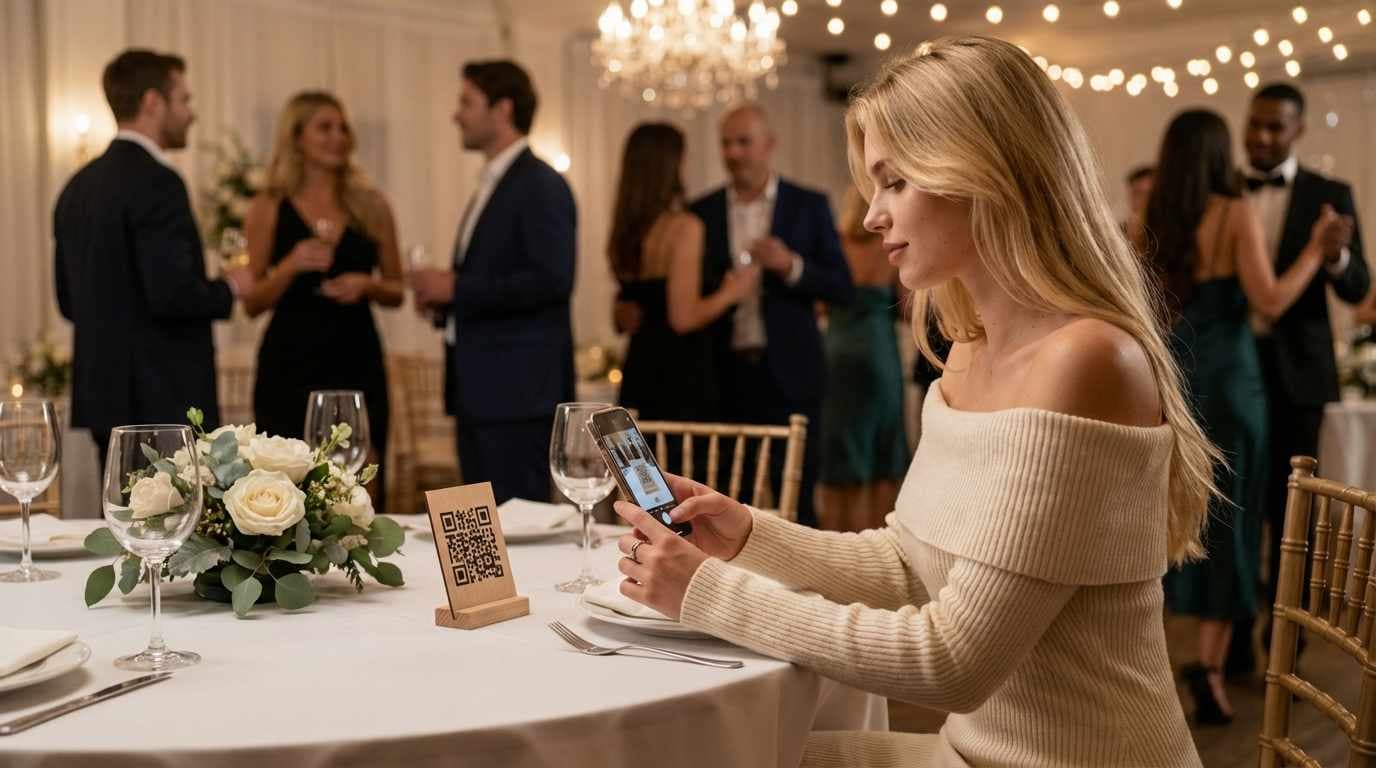
Picture this. On the tables near the entrance, there's a small stand with a QR code. Nothing fancy—just paper in a frame. Guests arrive, grab a drink, and someone notices: "Hey, that's for the gala photos."
They scan. A gallery opens. And they can start adding photos right away.
No app to download. No registration. Just scan and shoot.
And here's the bonus: every photo anyone uploads during the evening is visible to everyone else. In full quality. Right away.
Linda from the committee uploads hers. The chairman adds his from the SD card on Monday. And you open the gallery in the morning and have everything in one place. The best ones might even make it to the organization's social media.
No "send it to me." No "where do I find it?" Everything is ready immediately.
How It Works in Practice
Before the gala (5 minutes of work):
- The organizer creates an event on Partoska.
- Prints the QR code—or several copies.
- Done.
At the gala:
- QR code at the entrance, on tables, at the photo booth.
- Guests scan and upload photos.
- The gallery fills up in real time.
After the gala:
- All photos in one place.
- Full quality, no compression.
- Easy download for everyone.
Where to Put the QR Code?
The more places, the more photos you'll end up with. What works best:
At the entrance – people notice it right away and keep it in mind all evening.
On the tables – when someone's sitting through a speech, they might as well upload photos.
At the photo booth – this one's obvious. Anyone taking photos with props wants to share them.
Near the stage or band – people are looking there anyway, so they'll notice the QR code too.
Pro tip: Print a smaller version on tickets or invitations. People will have them at home too.
What About Privacy?
Good question—we're in Europe, after all. Partoska gives you control:
- You can keep the event open and review photos before they go public.
- You can lock the gallery for invited guests only.
- You can moderate content before it's visible to others.
So no worries about someone uploading something inappropriate. You're in control.
A Small Contest Works Wonders
Want to motivate guests to actually take photos? Give them a reason.
"Best photo of the evening wins a bottle of champagne!"
Just announce it at the start of the gala. Suddenly everyone's shooting, uploading, and the gallery fills itself.
You can announce the winner at the gala or the next day online. Both work.
What to Do With the Photos Then?
After the gala, you have a gallery full of photos. Now what?
For organizers:
- Download all photos at once (ZIP export).
- Pick the best ones for the organization's social media.
- Send the link to all guests—let them download what they want.
- Save to archive for future years.
For guests:
- Browse the gallery and download your favorites.
- Share the link with those who couldn't make it.
- Finally see photos you only heard about.
Is Your Gala Next Saturday?
No stress. Creating an event on Partoska takes 2 minutes. Literally.
Enter the name, date, and you have a QR code ready to print. No credit card needed, just an email. Works great for galas, fundraisers, charity balls—any formal event.
And Sunday morning? Instead of chasing people on WhatsApp, just open your gallery.
All the gala photos. In one place. In full quality.
This article is part of a series about how Partoska helps with organizing social events. More tips for family celebrations, sports clubs, and corporate events right here on our blog.
Frequently Asked Questions (FAQ)
Do guests need to download an app?
No. Partoska is fully web-based—just scan the QR code and it opens in the browser.
How much does it cost?
The basic plan is always free. For larger events, add-on packages are available (and can be purchased repeatedly). More details on our pricing page.
How long do photos stay available?
The gallery stays active until you delete it yourself or until the base or add-on package expires. Partoska is not designed for permanent photo storage, but it makes exporting them very easy. More details on our features page.
Can I organize the photos somehow?
Yes, both you and your guests can mark favorite photos and filter based on them.
Have more questions? Contact us here or follow us on social media.