The photographer is doing family portraits. The couple is smiling on command. Meanwhile, outside by the drinks table, the bride's uncle is teaching two cousins how to saber a bottle of prosecco with a butter knife. Someone gets the exact moment on their phone. It is hilarious. It is pure wedding energy. And there is a decent chance the couple will never see it.
That is why people keep looking for a QR code for wedding photos. Not because they want to replace a real photographer. Because weddings spill in every direction, and some of the best moments happen three meters away from wherever the professional camera is pointed.
Short answer: yes, QR codes for wedding photos do work. They work best when you use them to collect guest photos, not when you expect them to cover the whole wedding for you.
Hire a photographer for the shots you cannot afford to miss. Use guest uploads for the moments nobody planned.
A Photographer Is Still the Best Call
Let's say the obvious thing first.
If you care about the ceremony, couple portraits, family group photos, first dance, speeches, or anything that needs timing and intention, a dedicated photographer is still the right move. That is their job. They know where to stand, when to move, how to handle bad light, and how to get the photo even when your uncle is blinking and your flower girl has walked off.
A wedding photo QR code solves a different problem. It gives guests one simple place to put the photos they were already going to take anyway. The candid table selfies. The dance floor nonsense. The blurry but charming late-night shots. The quiet moment between your grandparents outside the venue while everyone else was inside.
Those photos are not a substitute for professional coverage. They are the missing layer on top of it.
Why Wedding Guest Photos Usually Disappear
Most couples do not lose guest photos because their friends are selfish. They lose them because there is no obvious workflow.
People say they will send the photos later. Then later turns into next week. Next week turns into never. One friend sends three photos through WhatsApp, which compresses them into mush. Another creates a Google Photos album half the guest list never joins. Someone else promises to AirDrop everything at brunch and forgets. The rest stay trapped in camera rolls forever.
This is the same scattered-photo mess behind stop chasing photos, just with higher stakes because a wedding only happens once.
If you want to collect wedding photos from guests, the big win is not fancy technology. It is giving everyone one obvious upload path while the wedding is still happening.
What QR Codes Actually Do Well
A QR code works because it removes the uncertainty.
Guests do not need to ask where to send photos. They do not need to remember a link buried in an old group chat. They do not need to install anything. They scan, open a page in the browser, and upload.
That is why wedding guest photo sharing works better with a QR code than with a vague "send us your pictures later" announcement.
The best setups are dead simple:
- one upload page,
- one visible QR code,
- no app download,
- no account creation,
- no guessing whether iPhone and Android users can use the same flow.
If the page opens on any phone, most of the reasons not to upload disappear. That is the real value, and it is exactly why a browser-based tool like Partoska makes sense for mixed-device weddings.
Where a QR Code Helps More Than the Photographer
This is the part couples usually underestimate.
Your photographer cannot be everywhere at once. Even a very good one is still one human being with one body and one camera. During cocktail hour they might be shooting couple portraits. During dinner they might be eating. During the first dance they are not also outside with the smokers, near the bar, behind the cake table, and next to the grandparents at the same time.
Guests are everywhere. They capture angles a professional never will:
- your college friends rebuilding the seating plan with wine glasses,
- your nephew asleep under two coats during speeches,
- the unofficial afterparty in the parking lot,
- your friend group taking photos in the bathroom mirror because of course they are,
- the weird, funny, deeply human wedding moments no shot list would ever include.
That is what a wedding photo upload flow is good for. It catches the overflow.
How To Make It Work On The Day
Most QR wedding setups fail for very boring reasons. The code exists, but nobody notices it. Or guests see it once and think, "I'll do that later," which is a beautiful lie people tell themselves at weddings.
If you want to share wedding photos with guests and actually get uploads back, do this:
Before the wedding
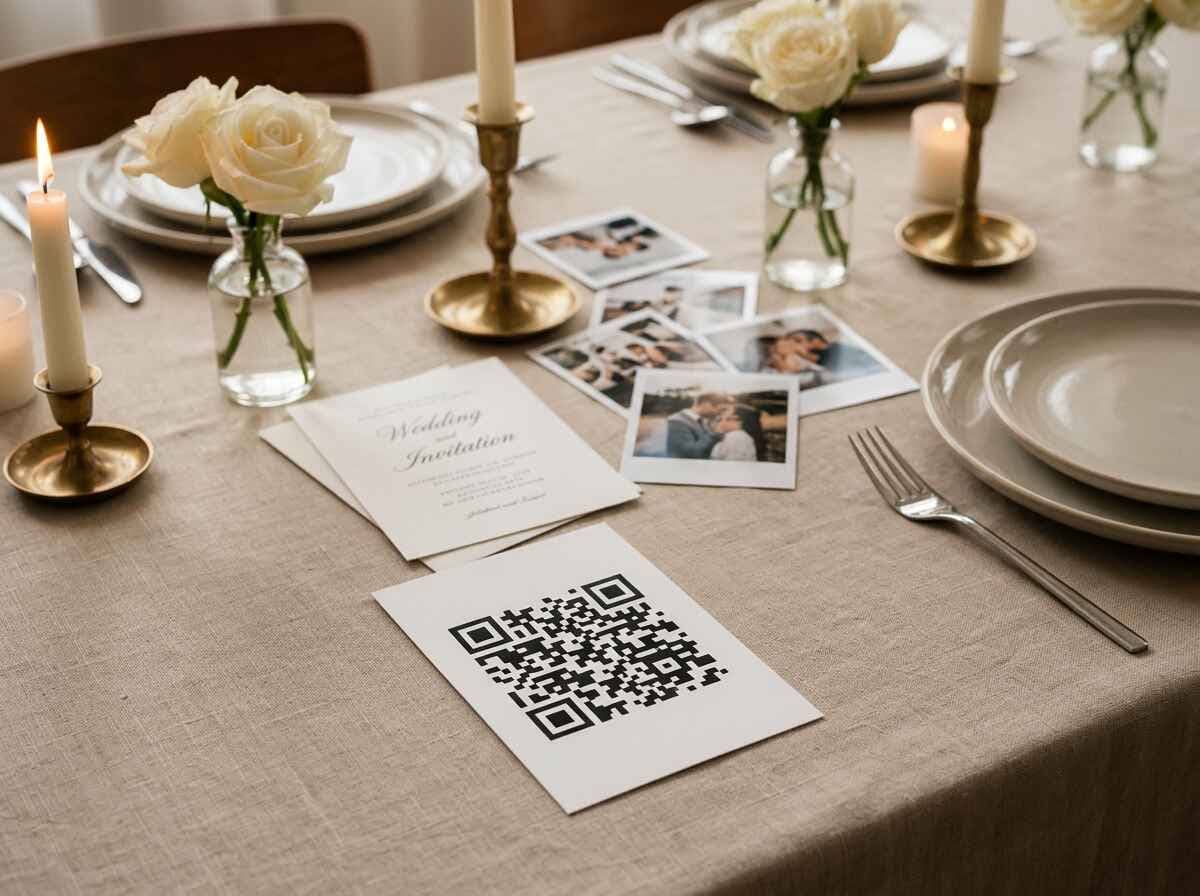
Create the gallery in advance. Test it on two or three different phones. Print the QR code clearly, not tiny. If the code is hard to spot, people will not use it.
Put it somewhere guests naturally pause:
- on table cards,
- near the guest book,
- at the bar,
- by the entrance,
- in the bathroom mirror area if your crowd is that kind of crowd.
You can also include it on the wedding website or in a pre-event message, but printed visibility matters more.
During the wedding
Say it out loud once or twice. A short line from the MC, DJ, or one of you works better than hoping people notice a sign.
Something as simple as this is enough:
If you take any fun photos tonight, scan the QR code on the table and drop them in there. No app, just upload.
That one sentence does a lot of work.
After the wedding
Leave the gallery open for a few days and send one follow-up reminder the next morning. Some people will upload during dinner. Others will do it from the train home. Both are fine. The important part is that the upload destination is still the same one clear place.
What Does Not Work
There are a few bad expectations worth killing early.
Bad expectation one: "We can skip the photographer and let the guests handle it."
That is risky. Guest photos are chaotic by nature. Some will be great. Many will not. Nobody is responsible for getting the kiss, the ring exchange, the family portraits, or the shot your parents want framed forever.
Bad expectation two: "One tiny QR sign in the corner is enough."
No. If people do not see it, they will not use it.
Bad expectation three: "We'll ask for photos a week later."
Some guests will still send them. Most will not. The whole point is to catch momentum while the event is live or just barely over.
A Small Trick That Gets More Uploads
People respond well to tiny prompts.
You do not need to turn the wedding into a brand activation experiment. Just give guests a reason to notice the upload flow. A sign that says "Best dance floor photo wins eternal glory" is enough to wake people up. A DJ mention helps. A friend who loves organizing things can also become your unofficial upload evangelist for the night.
The goal is not perfect coverage. The goal is more real moments, from more corners of the wedding, without you chasing anyone afterward.
Is This Only For Big Weddings?
No. Mid-size weddings may benefit the most.
At a tiny wedding, you may genuinely be able to collect photos manually. At a huge wedding, you probably already expect some chaos. The sweet spot is the middle, where there are enough guests for photos to scatter, but not enough infrastructure to keep everything organized automatically.
If you have 40 to 120 guests, mixed ages, mixed phones, and a photographer who cannot physically be everywhere, a wedding photo QR code makes a lot of sense.
The same logic applies to other formal events too. Weddings are just the sharpest version of it. We see similar problems in gala photo sharing, where plenty of candid shots exist but nobody has a clean way to bring them together.
What Partoska Is Actually Doing Here
Partoska is not pretending to be your wedding photographer. It is the collection layer.
You create one event, share one QR code, and guests upload from any phone in the browser. No app. No account. No cross-platform drama. Afterward, you have one place to review everything and download it as a ZIP instead of digging through message threads and cloud links.
That is the whole pitch. Clean collection, low friction, less chaos.
What About Price?
Partoska has a free starter tier, but honesty matters here: a full wedding will usually generate more than 25MB of photos, so most couples should expect to use a paid plan if they want to collect a meaningful number of uploads.
That is fine. Weddings are exactly the kind of event where paying a little for a clean workflow beats spending the next month begging people for files. If you want to compare options, check the current pricing.
The Best Setup Is Both
Book the photographer if the important shots matter to you.
Then give guests a simple upload flow for the parts the photographer will miss, the parts nobody planned, and the parts that feel the most like your actual wedding when you look back later.
That is where QR codes work.
FAQ
Do guests need to download an app to upload wedding photos?
No. With Partoska, guests scan the QR code and upload in the browser. That is a big reason QR-based collection works better than many DIY setups.
Can a QR code replace a wedding photographer?
No. It complements a photographer. Use the photographer for the must-have shots and guest uploads for the candid moments happening elsewhere.
Where should I put the QR code at the wedding?
Put it where guests naturally stop and look: tables, bar, guest book area, entrance, or other high-traffic spots. One hidden sign is usually not enough.
When should guests upload their wedding photos?
Ideally during the wedding or the morning after. The longer you wait, the more photos stay buried in people's camera rolls.
Will older guests be able to use it?
Usually yes, if the flow is simple. Most people already know how to scan a QR code with their phone camera. The key is avoiding app downloads and account creation.
Can I review photos before sharing them with other guests?
Yes. You can keep control over the gallery and moderate uploads if you want a cleaner final collection.
What if the venue WiFi is bad?
Guests can upload over mobile data. A visible QR code and simple browser flow matter more than fancy venue tech.