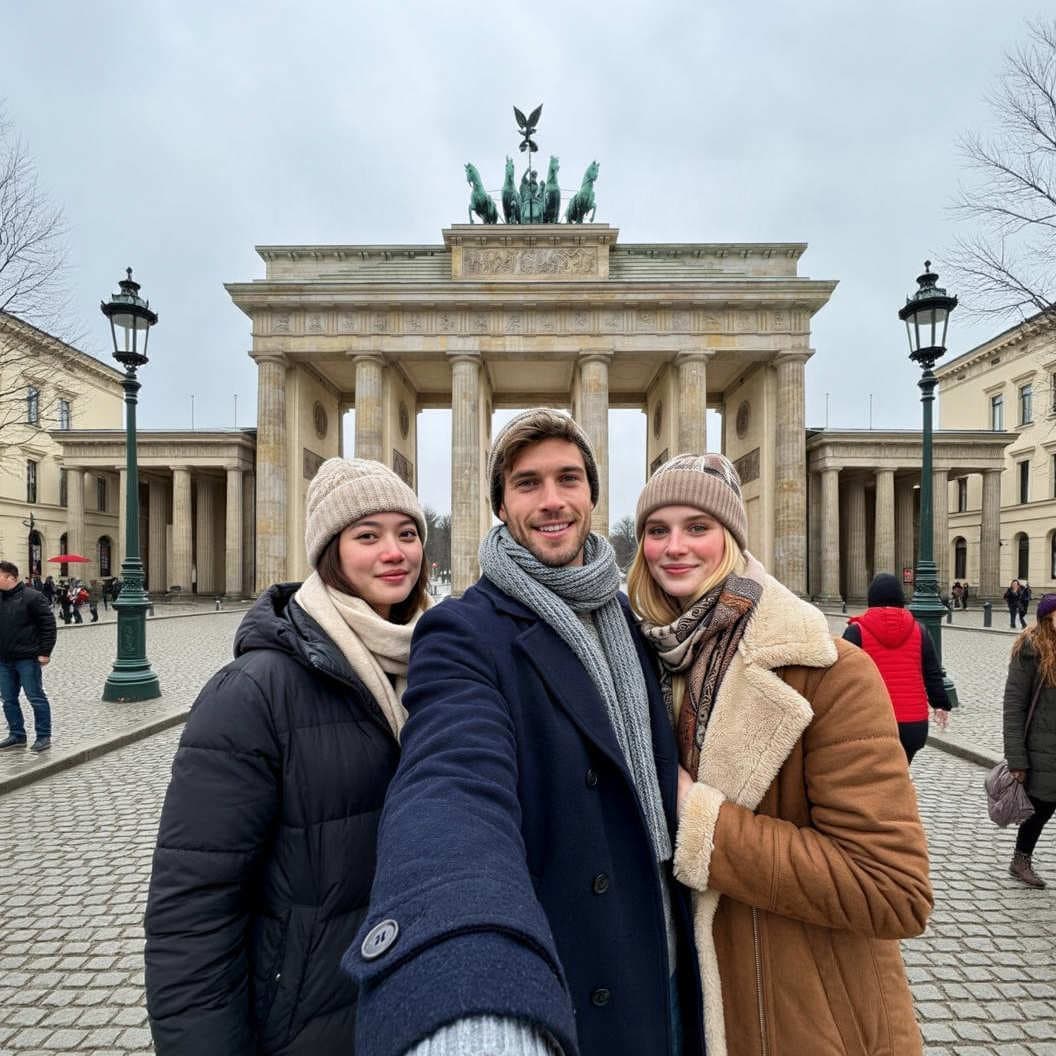
AI image generation is everywhere now. People are generating action figures, portraits, anything—you can't even trust Tinder anymore. And we thought—why not give it a try ourselves?
Partoska is built for collecting and sharing photos from events. And it doesn't matter whether those photos were taken at a wedding, a team building, or in an AI generator. What matters is having them all together, in full quality, in one place.
So we created a fictional team-building trip to Berlin. Here's our process—from the first "headshots" to the final album.
Step 1: Consistent Characters
Before we started generating trip photos, we needed to make sure our "colleagues" would look the same across all images. So we first generated portraits of each character.
Studio headshot portrait of a young professional in their late 20s, neutral grey background, soft diffused lighting, sharp focus on face, authentic natural expression, not overly posed, high quality photograph.
The key is to save these portraits and reference them when generating additional photos—most AI tools today can maintain character consistency if you provide a reference image.
Step 2: Winter Berlin
It's January. Berlin is freezing. Outdoor photos in t-shirts would look weird. So we defined consistent winter outfits for each character:
[
  {
    "lady1": {
      "outerwear": "Matte black puffer jacket with horizontal quilting and a hood",
      "neckwear": "Cream-colored thick knit scarf",
      "headwear": "Beige chunky-knit beanie with a folded brim"
    }
  },
  {
    "lady2": {
      "outerwear": "Camel-colored shearling coat with off-white faux-fur lining on the collar",
      "neckwear": "Patterned bohemian scarf in earthy tones of brown and beige",
      "headwear": "Taupe knit beanie with a subtle geometric pattern"
    }
  },
  {
    "man": {
      "outerwear": "Structured navy blue wool pea coat with dark buttons",
      "neckwear": "Long heather grey ribbed knit scarf",
      "headwear": "Marl-grey textured knit beanie"
    }
  }
]
We then added this JSON to prompts for outdoor photos to keep the characters' outfits consistent.
Step 3: Prompts for Individual Scenes
Here are the prompts we used in Google Nano Banana Pro.
Arriving at the Train Station 🚆
Realistic smartphone photo of a group of young professionals arriving at Berlin Hauptbahnhof train station, winter coats, scarves, luggage, large glass architecture visible, evening artificial lighting, candid tired-but-excited expressions, authentic travel photo quality.
Dinner at a Pub 🍺
Realistic candid smartphone photo inside a cozy traditional German restaurant in Berlin, wooden interior, group of colleagues at long wooden table with schnitzel and beer glasses, warm tungsten lighting, winter coats hanging on hooks in background, condensation on windows, authentic dinner atmosphere, slightly grainy phone camera quality.
East Side Gallery 🧱
Realistic travel photo of a person in thick winter coat, scarf and beanie taking photo of Berlin Wall East Side Gallery colorful graffiti art, cold January morning, breath visible in cold air, grey overcast sky, other tourists in warm winter clothes in background, authentic smartphone photography style.
Currywurst 🌭
Realistic smartphone photo of person in winter coat and beanie eating currywurst with fries from paper tray at Berlin street food stall, ketchup and curry powder visible, cold winter day, breath visible, casual authentic food photography style.
Brandenburg Gate 🇩🇪
Realistic group selfie of young professionals in front of Brandenburg Gate in Berlin winter, heavy winter coats scarves and beanies, red noses and cheeks from cold, grey January sky, authentic travel selfie slightly wide angle distortion, genuine smiles despite cold weather.
Club 🔊
Realistic smartphone photo inside Berlin techno club at night, dance floor with crowd, dramatic colored lighting purple and blue, motion blur on dancing people, someone in foreground holding drink, authentic grainy nightlife photography quality, slightly out of focus.
The Result
We uploaded all the photos to Partoska and now have a complete album from a team building that never happened.
Partoska for AI-Generated Photos?
While this probably isn't the main use case, why not. Partoska doesn't care whether you're collecting:
- Real photos from a wedding.
- Portraits from your photographer.
- Creations from Nano Banana Pro, Midjourney, DALL-E, ...
What matters is that you have everything together, in full quality, without messenger chaos.