Give your AI agent two Partoska skills.
Use partoska with an MCP-connected assistant. Use p6a with terminal-based AI agents such as Codex and Claude Code that can work with your local shell and files. One installer command lets you add either skill or both.
Run one command, then select partoska and p6a:
$ npx skills add partoska/p6a-skillsTwo skills, each with a clear job.
Choose by the agent's environment. Use partoska with an MCP-connected assistant. Use p6a with terminal-based agents that have access to your local computer, shell, and files.
/partoskaLive work inside your AI session
The partoska skill guides a connected assistant through finding and creating events, browsing and uploading photos, moderation, invite links, QR codes, and printable cards.
It knows the current Partoska MCP tools and uses interactive MCP Apps for galleries, uploads, event details, and share-card previews when the client supports them.
/p6aFor terminal agents with local access
The p6a skill is designed for terminal-based AI agents such as Codex and Claude Code. With access to your shell and filesystem, they can manage events and work with full-quality photos directly on your computer.
Use it for exact p6a commands, bulk sync, downloads, uploads, moderation, QR codes, share cards, scripts, cron jobs, and other workflows that run outside a chat session.
What the two skills help agents do?
Each skill matches the environment where the agent works. The MCP skill calls connected tools in-session; the CLI skill gives terminal-based agents practical commands and local file workflows.
Create events and QR invitations
Guide an agent through event setup, invite links, and QR cards for printed invitations, posters, programs, and table signs.
Sync and download photos
Route full-quality downloads, backups, and scheduled sync jobs through the p6a command-line tool.
Browse and moderate
Use Partoska MCP server tools for agent-driven event lookup, photo previews, favorites, and moderated gallery approval.
Write repeatable workflows
Let terminal-based agents turn repeated organizer tasks into shell commands, scripts, cron jobs, or local workflows.
From event gallery to finished poster.
Poster work belongs in the p6a CLI skill, where a terminal-based agent can download full-quality event photos and work with them directly on your computer.
Before
Partoska gallery
8 photosCollected trip photos, still in the event gallery where everyone can upload and browse.
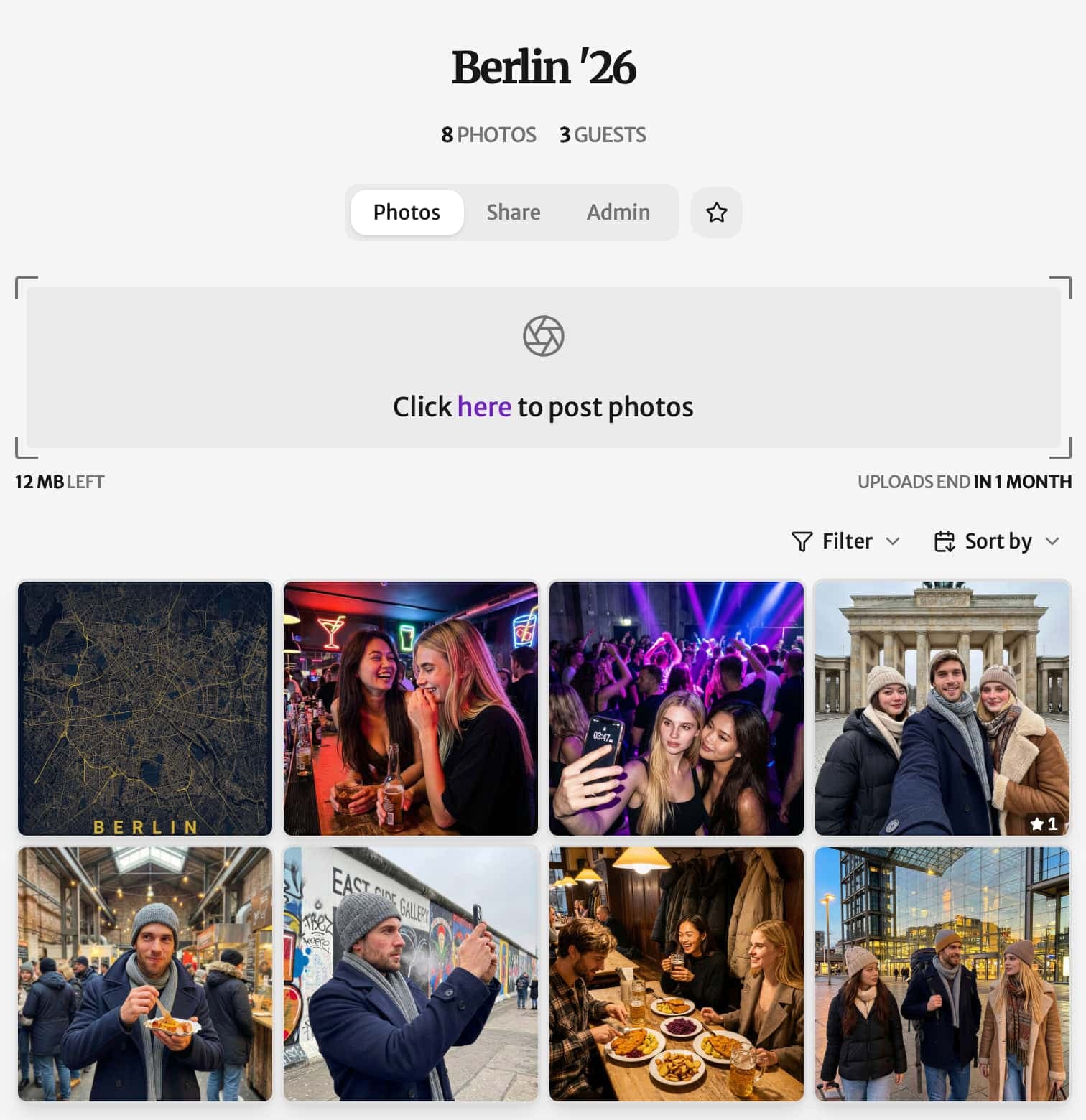
AI prompt
/p6a Create a summary poster from the full-quality photos in our Berlin event.After
Recap poster
ReadyA shareable result made from the photos, linked back to the full gallery.
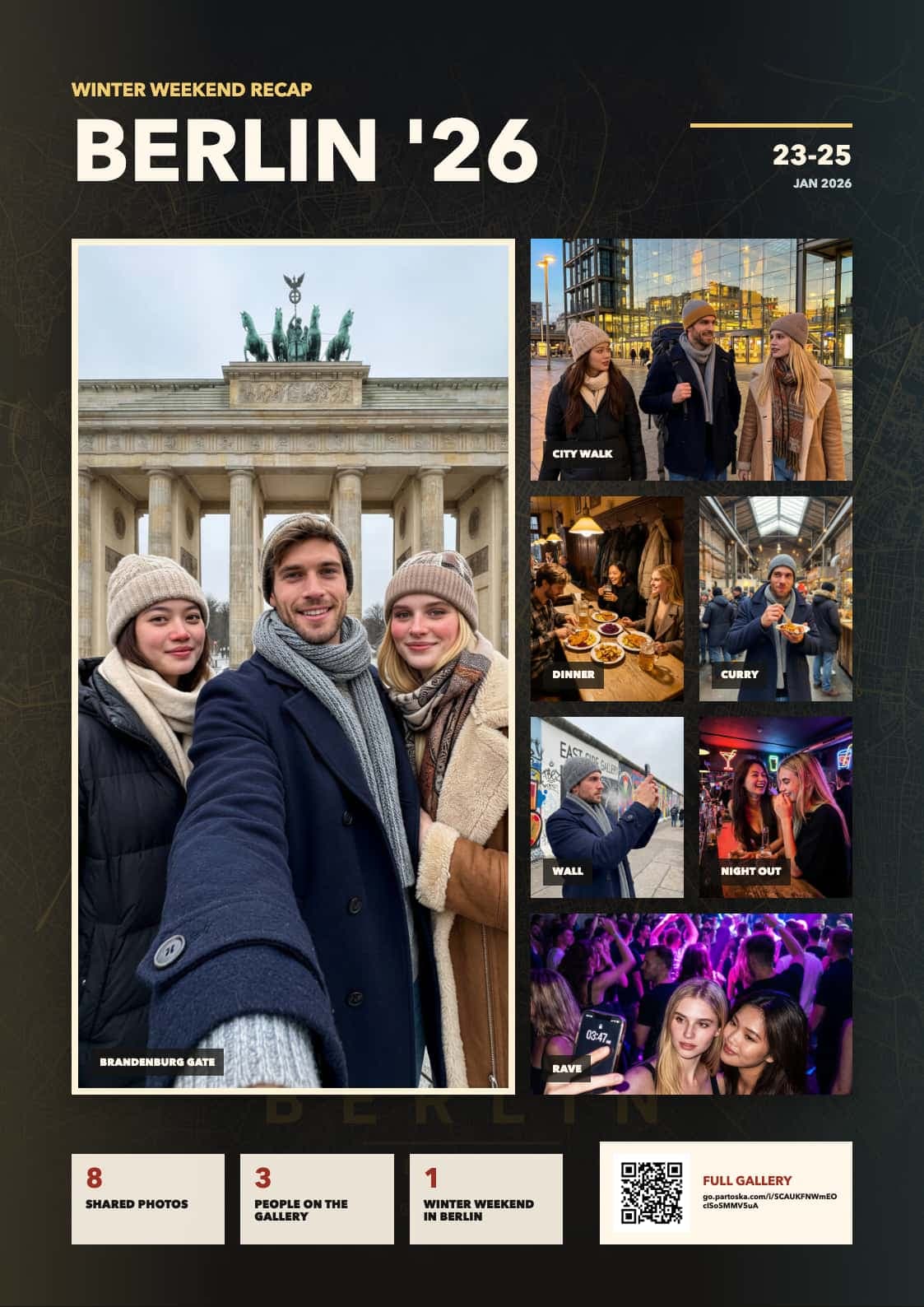
Read the event
Use p6a to find the event and download its full-quality photos.
Build in the shell
Let the CLI skill construct the commands and file workflow for the poster.
Make the result
Turn selected full-quality photos, for instance, into a poster, handout, or recap asset.
Ask in plain language
Use partoska in an MCP-connected assistant. Use p6a in a terminal-based agent such as Codex or Claude Code when it can work with local commands and files.
/partoska Create event for Lisa B-Day./partoska Show the QR card for this weekend's match./p6a Sync my photos to ~/backup./p6a Write script to back up all my favorite events nightly.Install together. Download separately.
The public repository contains both skills. Use the installer to select them interactively, or download the separate partoska and p6a release archives.
Download one skill
Each release archive contains one focused skill, ready to add manually to your agent.