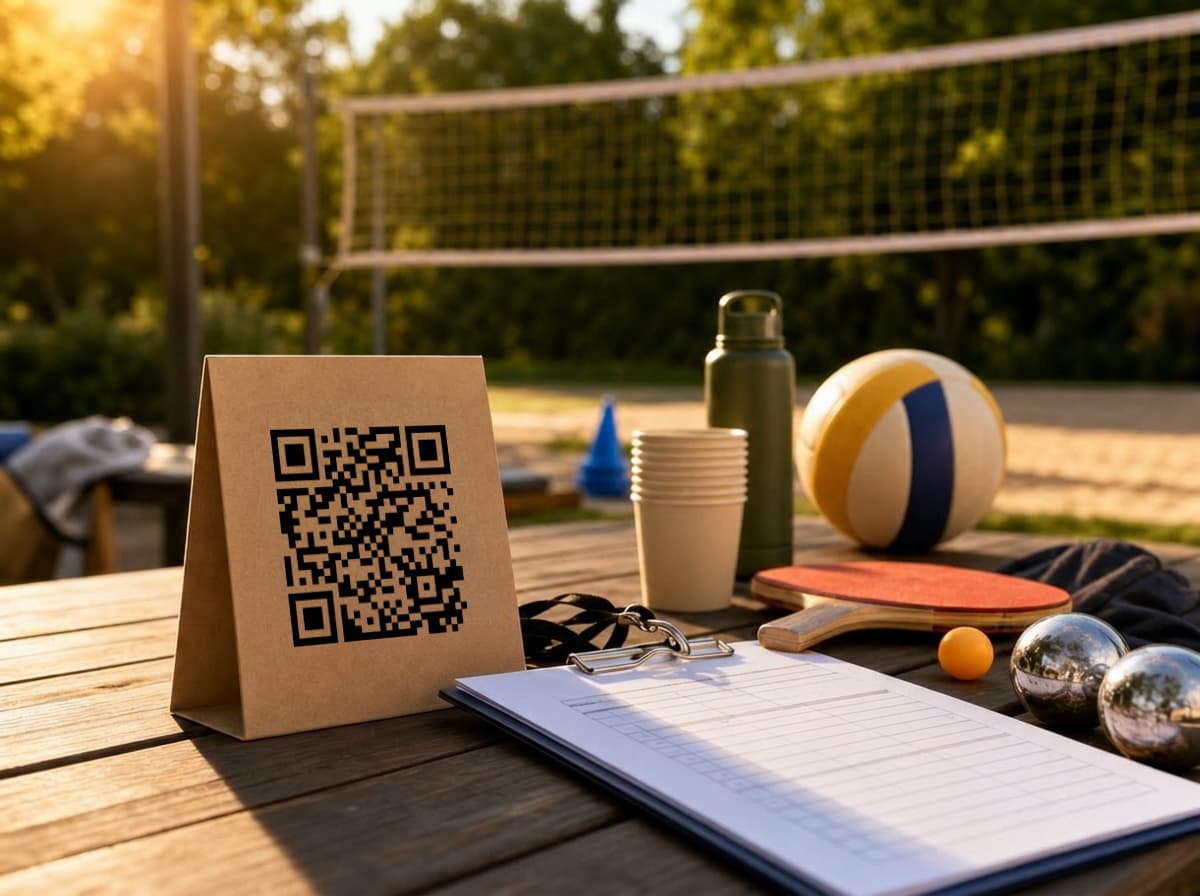
Company sports day photos have a funny way of disappearing.
At 10:30, someone gets a great shot from the volleyball court. Around lunch, two people record the ping-pong final. After petanque, a colleague takes the only decent group photo because everyone else is squinting into the sun. By Monday morning those photos live in five places: Slack, WhatsApp, iMessage, a private camera roll, and the phone of the person who is suddenly "just on holiday for a week."
The hard part is not getting people to take photos. They already do that.
The hard part is giving them one obvious place to send them while the day is still happening.
If photo collection starts after the sports day ends, you have already made it harder than it needs to be.
The Normal Company Sports Day Photo Mess
A company sports day looks casual from the outside. A few courts, a picnic table, water bottles, maybe a scoreboard that is more symbolic than accurate.
Behind the scenes, someone had to book the place, remind people about shoes, order food, split teams, find sunscreen, and answer the same calendar question twice. Asking that same person to chase photos afterward is a bit rude, even when nobody means it that way.
The usual plan sounds harmless:
- "Post your photos in Slack."
- "Send the best ones to Eva."
- "We'll make a shared Drive folder later."
- "Just drop them in WhatsApp."
All four work badly for different reasons. Slack buries files. WhatsApp compresses photos. Drive permissions become a tiny office drama. Sending everything to one organizer turns that person into a photo inbox with legs.
For corporate event photo sharing, the better rule is simple: create the collection point before the first match starts.
Set Up One Photo Collection Point Before People Arrive
With Partoska, the organizer creates one event and gets a QR code plus an upload link. Guests scan the code, open the page in their browser, and upload photos from their phones. No app install, no account, no "which shared folder was it again?" That is the entire point of QR code photo sharing: the next step is visible before people drift away.
That matters at company events because the group is mixed. Some people use iPhones, some use Android, some avoid work chat after 5pm with religious discipline. A browser upload flow is boring in the right way: it does not care what phone people brought.
The features page covers the current upload flow, but the short version is this: one event, one QR code, one gallery.
For a sports day, set it up before the event and share it in two places:
- physically, with printed QR cards near the courts and rest areas
- digitally, in the calendar invite or company chat
The physical card catches people while they are taking photos. The digital link helps anyone who wants to upload later from a laptop or phone gallery. For messy team building photos, you want both.
Where the QR Code Should Go
Sports days are movement-heavy. People do not sit at one table for four hours like they might at a gala dinner. One poster at the entrance is easy to miss because everyone arrives holding bags, bottles, and half a banana.
Put the QR code where people pause between activities:
- the sport registration table,
- the water station,
- next to the tournament schedule,
- near the ping-pong table or petanque area,
- at the lunch table,
- by the final group-photo spot.
If you are printing cards, the guide to printable QR code cards for event photos goes deeper on sizes and placement. For a company sports day, a few small cards usually beat one beautiful poster. People need to see the prompt three times because the first two times they are thinking about the score, lunch, or whether they can still sprint without making it weird.
The card copy can be plain:
Took a photo today? Scan this and add it to the company album.
That sentence is enough.
Try the Summer Sports Day Demo
We set up a live Partoska demo for this exact scenario: Summer Sports Day.
Open it on your phone and you can see the flow a guest gets after scanning the QR code. The useful test is not whether the page looks fancy; it is whether a colleague could upload standing near a volleyball court with a drink in one hand.
If the upload path needs explaining, people will skip it. At a sports day, the page has to make sense in seconds.
During the Day: Let People Upload in Small Bursts
Do not wait until the end to ask for photos.
The best uploads often happen in small bursts: after a funny rally, during lunch, right after the team photo, or when people are sitting out the next round. Those are the moments when the photo is still recent and the person still remembers the QR card exists.
A team lead or organizer can mention it once or twice:
"If you take photos today, please add them through the QR code by the water station. We will use that album for the recap."
This keeps the collection out of chat threads. People can still share jokes in Slack, but the actual files go to the event gallery where the organizer can download them later.
After the Event: Download, Share, Archive
Once the sports day ends, the organizer should not have to reconstruct the day from half a dozen channels.
In Partoska, the photos are already in the event. You can review the uploads, remove anything that should not be there, and download the collection as a ZIP. Connect Google Drive or Microsoft OneDrive once and you can also export the collection there with one click from the app. For a NAS or internal folder structure, use the NAS integration or the downloaded ZIP.
Partoska is the event photo collection layer. It gets the photos out of personal phones and into one manageable place. Long-term storage can stay wherever your company already keeps files.
That distinction matters. You do not need a new company archive strategy just to handle employee event photos from a sunny Thursday.
Keep the Organizer in Control
Company events are friendly, but they are still workplace events. Not every uploaded photo belongs in a public recap. Someone may upload a blurry shot, a private conversation in the background, or a photo that is funny in the moment and less funny on LinkedIn.
Partoska keeps the organizer in charge of the gallery. You can collect first, then decide what gets shared.
That is especially useful for HR, internal comms, and team leads who need the photos for a newsletter, intranet post, or year-end recap. The goal is not to make every guest photo public. The goal is to stop losing the good ones.
Use Favorites for a Tiny Contest
Sports days already have friendly competition baked in. You can use that energy without turning photo collection into another task.
Ask people to upload during the day, then invite them to mark favorite photos afterward. It can become "photo of the day", "best team moment", or "most suspicious refereeing decision." Keep the prize small: coffee, bragging rights, first pick of leftover snacks.
Favorites are useful even if you never announce a winner. They give the organizer a shortlist, which is handy when the gallery has action shots, selfies, lunch photos, scoreboard shots, and twelve versions of the same group pose.
Turn the Most-Liked Photos Into a Next-Day Collage
There is one more useful next-day trick: make a simple recap collage from the most-liked photos.
If you use Partoska's MCP server for AI assistants, the organizer does not even need to manually pick the photos first. A connected AI assistant can inspect the event, look at the uploaded photos and favorites, and suggest a clean collage set for the company chat, intranet, or newsletter. Let AI handle the boring creative direction: which liked photos work together, what layout fits, and what caption should go with it. The organizer still approves the final version before anything gets posted.
Try a prompt like this:
I am preparing a recap from our company sports day.

Please use the connected Partoska MCP server to find the event named
"Sports Day", inspect the uploaded photos, and focus on the
most-liked/favorite photos.

Choose 8 to 12 photos that work well together for an internal recap
collage. Avoid near-duplicates, blurry shots, unflattering expressions,
private-looking moments, or anything that feels wrong for a workplace post.
Make a collage from these photos.

Use these constraints:
- Format: square 1:1 collage for Slack, Teams, and intranet
- Mood: friendly, casual, energetic
- Layout: 8 to 12 photos, with one larger hero photo and smaller supporting
  moments
- Include space for a short title: "Summer Sports Day 2026"
- Avoid cheesy trophy graphics, fake confetti, motivational quotes, or
  over-designed effects
- Do not publish, send, or share anything without my approval

First give me:
- The selected photo IDs or filenames
- A short reason for each selected photo
- A recommended collage layout

Once I approve:
- Create the collage
- A short caption for the company chat
- A more formal caption for the intranet
If your assistant cannot access the Partoska MCP server, use the manual fallback: download the favorite photos, upload them to your AI or design tool, and run the same prompt without the MCP instruction.
For Recurring Company Events, Let Automation Help
Most company sports days happen once a year. For that, the web app is enough: create event, print QR cards, share the link, collect the photos.
But if your company runs regular offsites, tournaments, internal meetups, onboarding days, or team challenges, repetition starts to annoy everyone.
Therefore, Partoska has a more technical path for that. AI-friendly organizers can use the terminal and assistant workflow covered in event photos via terminal and AI agent. That lets an assistant or script create events, generate QR codes, and help with download workflows.
For one afternoon of volleyball and petanque, that may be too much. For an office manager handling several events a month, it starts to make sense.
What About Price?
You can test Partoska on the free starter tier, which is enough for a small trial or a low-volume event. If your company sports day produces a lot of photos and videos, choose a paid plan with more space and longer retention.
That is usually a cleaner trade than losing full-quality photos in chats or asking colleagues to resend files three days later. Current plans are listed on the pricing page.
Create the Album Before the First Match
The boring prep makes the fun part easier.
Create the event. Print a few QR cards. Put them where people stop. Share the link in the company chat. Mention it once during the day. Then let the photos arrive while people still remember where they took them.
For a company sports day, that is the whole trick: one place for every photo, before Monday morning turns into detective work.
Create Your Company Sports Day Album
FAQ
How do I collect photos from a company sports day?
Create one shared event album before the day starts, print the QR code, and place it near registration, water stations, schedules, and lunch areas. Guests scan the code and upload from their phones.
Do employees need an app to upload photos?
No. With Partoska, guests upload through the browser. That works better for mixed company groups because nobody has to install an app or create an account just to send a few photos.
Where should I put the QR code at a sports day?
Put it where people naturally pause: registration, water stations, food tables, scoreboards, activity schedules, and the final group-photo spot. For moving events, several small cards usually work better than one poster.
Can we share the upload link in Slack or Teams too?
Yes. Use both the physical QR code and the digital link. The QR code works during the event; the chat link helps people upload later from their camera roll.
Can the organizer approve photos before sharing them?
Yes. The organizer can review the gallery and decide what to keep, remove, download, or share. That matters for workplace events where not every candid photo should go into a public recap.
Can we download all company sports day photos afterward?
Yes. After the event, the organizer can download the collection as a ZIP or export it with one click to a connected Google Drive or Microsoft OneDrive account. A NAS integration is also available.
Can Partoska handle recurring company events?
Yes. You can use the web app for one-off events, and more technical teams can use Partoska's CLI, MCP support, or AI-agent workflow for repeat events and automation.